Telehealth
FOR NEW CLIENTS:
To set up your first telehealth appointment, please contact us.
FOR ESTABLISHED CLIENTS:
The waiting rooms are for established clients who have a scheduled telehealth visit.
Please Log In to the OnPatient web portal about 10 minutes prior to your appointment to complete rating scales, then return to this page and enter the waiting room.
Please enter the waiting room 5-10 minutes before the start of your scheduled appointment.
Do not attempt to enter the waiting room unless you have a scheduled appointment.
Doxy.me is a secure, private and encrypted interactive video platform which is HIPAA and HITECH compliant.

Dr. Krista David

Dr. Len Lantz
How to use Doxy.me
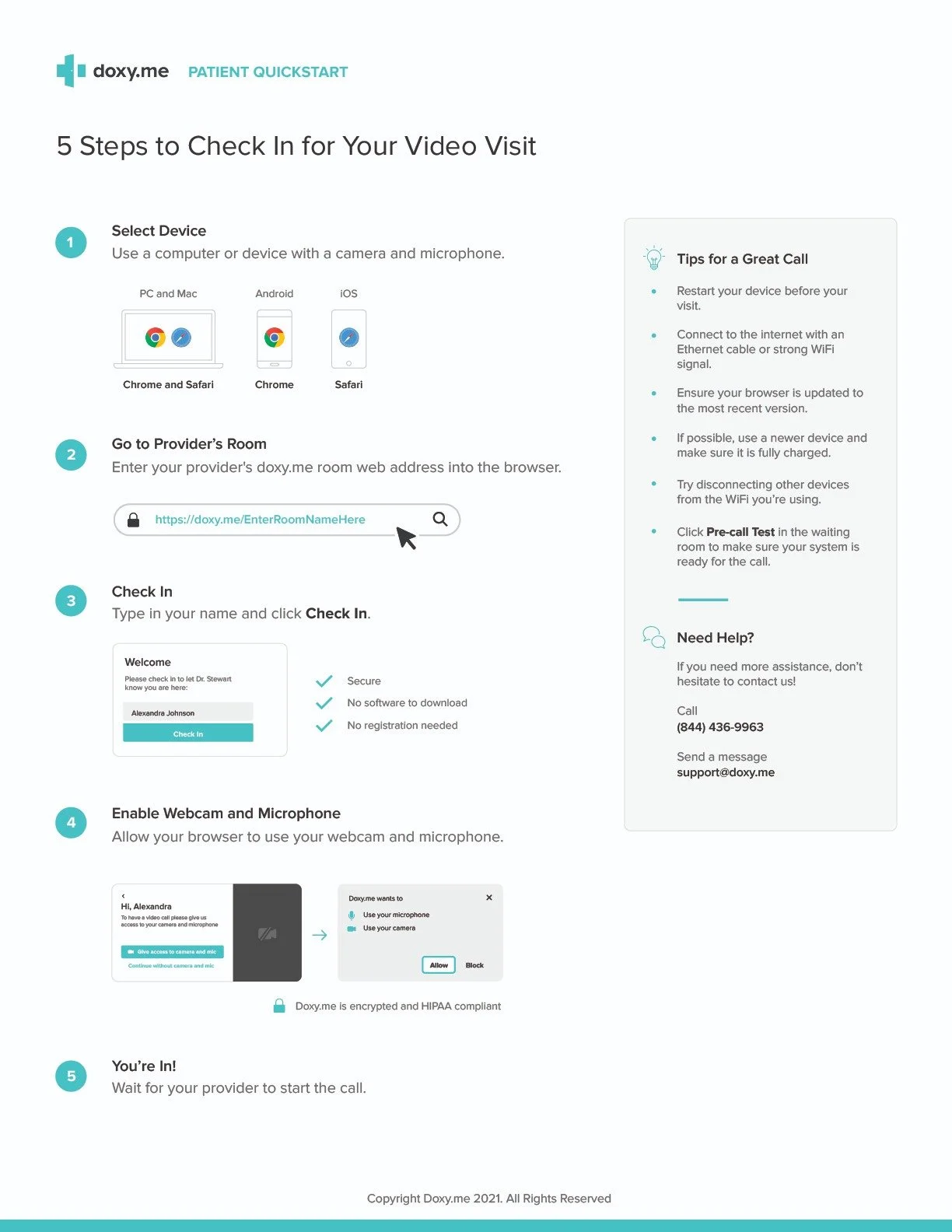
To use the Doxy.me site, click on your doctor's button above to enter the waiting room.
Alternatively, you may:
Click here for Dr. Krista David or Dr. Len Lantz
Click the links for Dr. Krista David (https://doxy.me/DrKrista) or Dr. Len Lantz (https://doxy.me/DrLantz) into your web browser
When using a laptop, use the Chrome or Safari web browsers. When using an Android device, use Chrome, and when using an iPhone, use Safari.